1
Install a trusted Android emulator
Download an Android emulator from its official website, install it, and complete the first launch. Sign in only if the emulator requires it for Android system setup.
Windows and Mac guide
Eleph TV is an Android APK, so the reliable PC method is to run it inside an Android emulator. This guide explains how to download Eleph TV APK for PC, choose an emulator, install the APK safely, and fix common playback or installation problems.
Yes, but not as a normal Windows program. Eleph TV APK is built for Android, which means a PC needs an Android runtime. An emulator such as BlueStacks, LDPlayer or another trusted Android emulator creates a virtual Android device on your computer. After that, you install the APK in the emulator the same way you would install it on an Android phone or TV box.
Avoid files advertised as Eleph TV PC EXE, cracked PC versions or premium unlocked builds. They are separate from the Android APK flow and can carry more security risk.
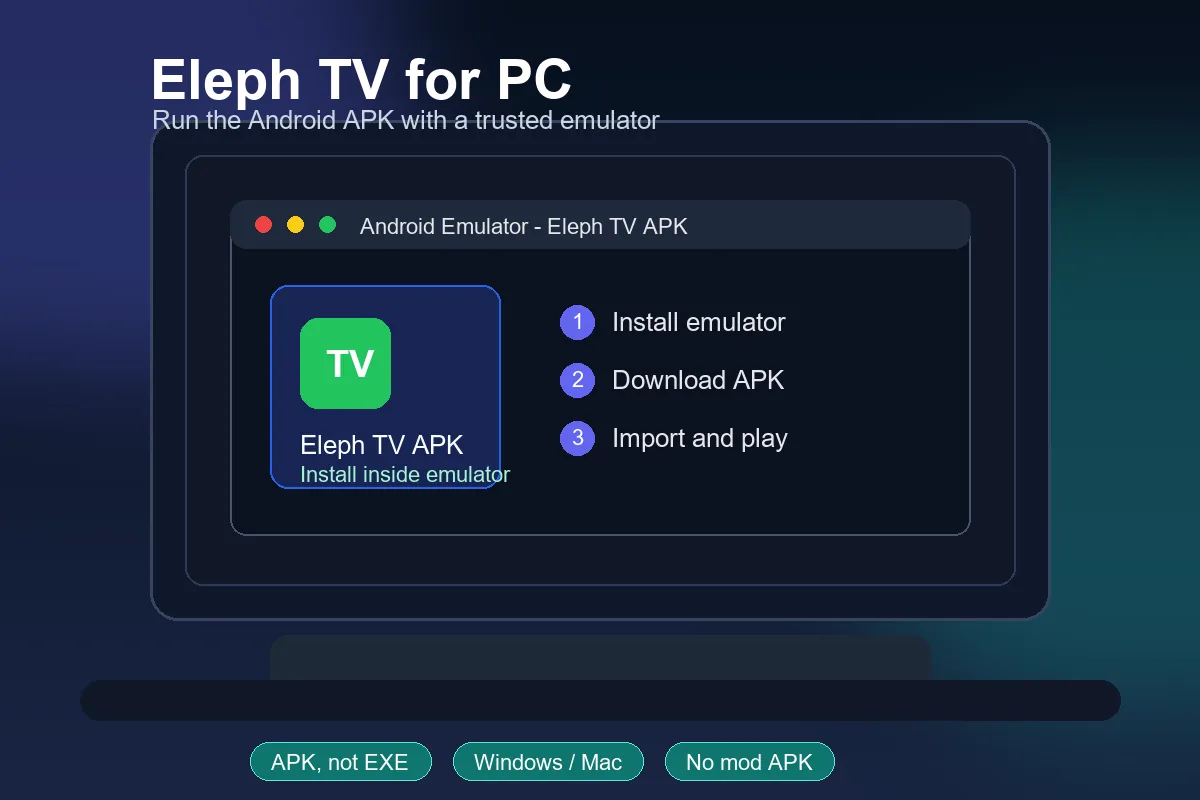
Follow these steps on Windows first. The same idea applies to Mac if your chosen emulator supports your Mac model and system version.
Download an Android emulator from its official website, install it, and complete the first launch. Sign in only if the emulator requires it for Android system setup.
Use the regular Eleph TV APK download from this site. Do not use files labeled PC crack, mod APK, premium unlocked or EXE installer because they are not needed for emulator installation.
Open the emulator and use its Install APK button, APK drag-and-drop area or file manager. Select the Eleph TV APK file and wait until Android finishes installing it.
Launch Eleph TV inside the emulator. If the screen looks stretched or controls feel awkward, switch the emulator to landscape mode, raise the resolution, and test keyboard or mouse controls.
Try one live channel or movie first. If playback buffers, lower video quality, close other PC apps, enable virtualization in BIOS if available, or switch to a wired network.
The emulator is the part that makes or breaks the PC experience. Pick a maintained emulator, keep the APK source standard, and tune performance before judging streaming quality.
Download BlueStacks, LDPlayer or another emulator only from its official website. This reduces the chance of bundled adware, fake APK installers or modified Eleph TV builds.
Hardware virtualization can improve Android emulator speed. If the emulator warns that virtualization is off, enable Intel VT-x or AMD-V in BIOS/UEFI if your PC supports it.
Eleph TV is easier to browse on PC when the emulator uses a landscape tablet-style layout. A higher resolution helps menus and subtitles stay readable.
Most emulators let you map back, enter, volume and navigation keys. Set those controls once so browsing channels and movies feels less like using a phone screen on a desktop.
Eleph TV APK itself is small, but emulators need more memory and graphics resources than a normal Android phone install.
| Requirement | Recommended | Why it matters |
|---|---|---|
| Operating system | Windows 10/11 or a supported Mac emulator setup | Older systems may not run modern Android emulators well. |
| RAM | 4 GB minimum, 8 GB better | Streaming and emulator graphics both consume memory. |
| Storage | At least 5 GB free | The emulator image needs much more space than the APK file. |
| Processor | Modern Intel or AMD CPU with virtualization support | Virtualization improves launch speed and playback stability. |
| Network | Stable broadband or Ethernet | PC playback still depends on the same stream quality and connection stability. |
| Unsupported route | No native Eleph TV EXE installer | Use APK inside Android emulator instead of fake PC installers. |
This checklist keeps the PC page focused on the correct intent: Eleph TV runs as an Android APK inside an emulator, not as a native Windows EXE.
| Checkpoint | Recommended choice | Why it matters |
|---|---|---|
| Installer source | Official emulator website plus the standard Eleph TV APK | Avoids fake EXE installers and bundled APK clones. |
| Android profile | A maintained Android version with APK install support | Older emulator images can block modern APK permissions. |
| Display mode | Landscape tablet layout at readable resolution | Streaming menus and subtitles are easier to use on desktop. |
| Performance | Virtualization enabled, 4-8 GB RAM available | Reduces lag before you blame the APK or stream source. |
| Security boundary | No mod, crack, premium unlocked or shared account files | These files do not improve PC compatibility and can expose data. |
Most PC issues come from emulator performance, APK permissions, graphics settings or using the wrong file type.
Download the APK again, check that it is not a partial file, and use the emulator's Install APK feature. If the emulator blocks it, update the emulator or try a different Android version profile.
Close heavy PC apps, allocate more RAM or CPU cores in emulator settings, enable virtualization, and avoid running multiple emulator instances while streaming.
Switch the emulator graphics renderer between DirectX and OpenGL if available, update your graphics driver, and restart the emulator before testing playback again.
Test the same network in a browser, reduce playback quality, move closer to WiFi, or use Ethernet. Emulator streaming still depends on the source stream and network route.
Follow the app's current in-app instructions. Avoid public account lists, premium unlocked APKs or password-sharing pages because they can expose your device and account data.
Stop and verify the source. Eleph TV is distributed as an Android APK for this guide, so a random EXE installer is not part of the recommended PC setup.
Use the standard APK file, then install it inside your Android emulator. This keeps the PC guide aligned with the safer Android APK route used across this site.
Install only from sources you trust and avoid mod, cracked or premium unlocked APK files.
Download Eleph TV APK for PC EmulatorThere is no native Eleph TV Windows installer in this guide. The recommended method is to install Eleph TV APK inside a trusted Android emulator on your PC.
Download the standard Eleph TV APK file, install an Android emulator, then import the APK through the emulator's Install APK button or drag-and-drop feature.
Yes, you can usually run Eleph TV APK on Windows 11 through a compatible Android emulator. Performance depends on your RAM, CPU, graphics driver and virtualization settings.
No. Because the app is an APK, it needs Android or an Android emulator. Avoid random EXE installers that claim to be a direct Eleph TV PC version.
Choose a maintained emulator that supports APK installation, landscape mode and stable graphics settings. BlueStacks and LDPlayer are common options, but the best choice depends on your PC.
The Downloader code is mainly for TV devices using the Downloader app. On PC, it is simpler to download the APK file directly and import it into the emulator.
The safer route is to use the standard APK source and an official emulator download. Avoid mod APK, cracked APK, premium unlocked APK and unknown PC installer files.
Buffering can come from network speed, emulator resource limits or the stream source. Try Ethernet, lower video quality, close background apps and enable virtualization if your PC supports it.